 Priya Sharma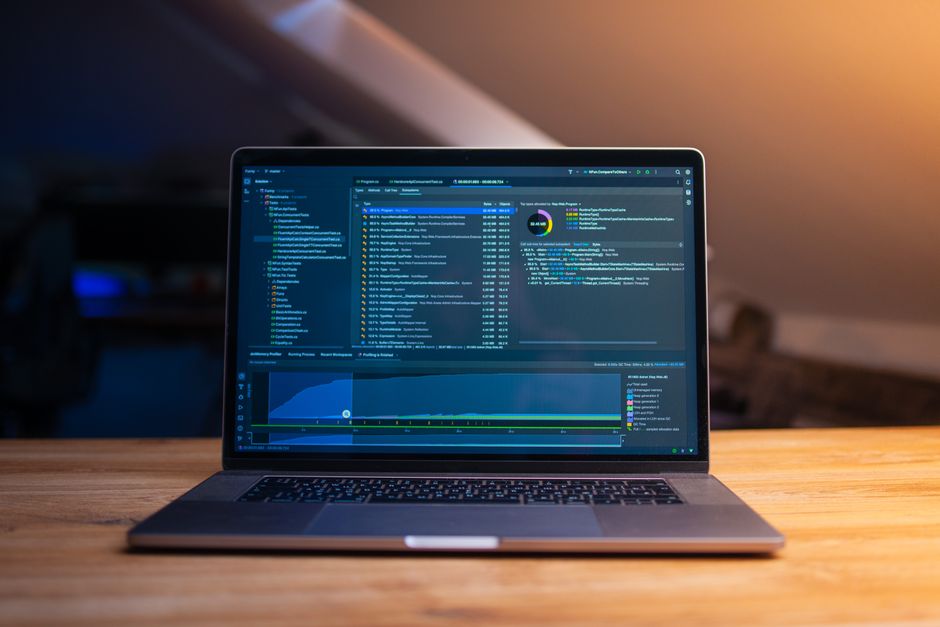
You asked your lead programmer how long the new shader system would take to integrate with your Unreal project. They said “two weeks.” Six weeks later, you’re still waiting, your milestone is blown, and half your team is blocked waiting on assets that can’t be finalized until the shaders are done. If this sounds familiar, you’re not alone. Unreal Engine is one of the most powerful game development platforms on the planet, but for producers, it comes with a specific flavor of chaos that nobody really warns you about beforehand.
Here’s the honest situation: Unreal is built for engineers first. Epic’s documentation assumes a certain level of technical fluency that your artists, designers, and yes, sometimes your producers, may not have. That gap between what Unreal can do and what your team can actually execute on a real schedule is where projects get hurt. Let’s talk about what those gaps actually look like, and more importantly, what you can do about them.
Scope Creep Lives Inside Unreal’s Feature Set
Unreal Engine 5 ships with Nanite, Lumen, MetaHuman, Procedural Content Generation, and a feature list that reads like a wish list someone left Santa. The problem is that each of those features is genuinely impressive, which means your creative leads will want to use all of them. Every one. On the same project. With the same team size and the same timeline you scoped before anyone realized what “enabling Lumen” actually means for your build times and performance budget.
I’ve watched this kill schedules more reliably than almost anything else. A team scopes a 12-month project in Unreal 5, then spends the first three months experimenting with every shiny tool in the engine. Not because they’re lazy. Because nobody locked the scope before pre-production ended.
Your job is simple: decide what Unreal features are “in” and what’s “out” before anyone stops prototyping. Get it in writing. Have your technical director review it. Treat it like a scope document, because that’s exactly what it is.
Build Times and Iteration Speed Will Derail Your Sprint Cadence
If you’re running two-week sprints and expecting daily check-ins and fast iteration loops, Unreal will fight you on this. Shader compilation on a mid-sized project can take 30 to 90 minutes. Full builds can run several hours. This isn’t theoretical. I worked on a project where developers were burning two to three hours per day to compile and cook times, which added up to roughly one full sprint of lost productivity per developer per month.
There are ways to fix this. Distributed build tools like Incredibuild or Fastbuild help. So do derived data cache (DDC) servers, which stop you from recompiling the same shaders over and over. You can pre-build binaries for your artists who don’t need to compile the engine at all. But setting these up takes time and expertise, and they need to be budgeted into pre-production, not bolted on when the team is already complaining at sprint review.
Actually get specific about this. Here’s what to do:
- Talk to your technical director in week one about DDC and build strategy.
- Budget two to four weeks of engineering time for build infrastructure during pre-production.
- Set up Incredibuild or an equivalent before the team grows past five developers.
- Define what “done” means for a build before accepting any sprint deliverables.
- Track compile and cook time in your retrospectives. If you don’t measure it, it becomes invisible.
Source Control With Unreal Is Its Own Project
What is the BEST Game Engine? (For Real) | Godot vs Unity vs Unreal · RixOne on YouTube
Unreal’s binary asset format and the sheer size of a typical Unreal project create source control problems that Unity teams simply don’t face at the same scale. We’re talking projects that balloon to 50, 100, or 300+ gigabytes once you include source assets, cooked content, and intermediate files. Standard Git workflows fall apart without Git LFS, and even then large teams hit walls.
Most Unreal teams use Perforce. For good reason. Perforce handles large binary files cleanly and gives you exclusive checkout locking, which prevents two artists from editing the same level or Blueprint at the same time. The trade-off is a learning curve and a cost. Helix Core’s cloud offering starts free for small teams and scales up from there. Some teams use Plastic SCM (now Unity DevOps, which is ironic) successfully.
Your job isn’t to choose the tool. It’s to make sure a choice gets made before anyone commits their first file. “We’ll figure it out later” is how you end up with 15 artists on Dropbox and a merge conflict nobody can untangle because the file is corrupted and unopenable.
Blueprint vs. C++: The Decision That Affects Every Deadline
Unreal gives you two ways to write game logic: Blueprints (a visual scripting system) and C++. This is one of the most consequential decisions your team will make, and it’s usually made implicitly rather than explicitly. That’s the worst possible outcome.
Here’s how to think about the trade-offs:
| Factor | Blueprints | C++ |
|---|---|---|
| Iteration speed | Fast, no compile required | Slower, requires recompile |
| Performance | Slower at runtime | Faster, full engine access |
| Accessibility | Designers and artists can contribute | Requires software engineers |
| Debugging | Visual, easier to follow | More powerful but harder to read |
| Scalability | Gets messy at large scale | Scales cleanly with good architecture |
| Hire-ability | Easier to find Blueprint users | Senior UE C++ devs are expensive and rare |
Most projects need both. C++ for systems. Blueprints for gameplay logic that designers need to tweak without engineering support. But this needs to be an explicit decision with a documented convention, not something each developer figures out on their own. Blueprint spaghetti is real, and detangling it mid-production destroys schedules.
Recommended Tools for Unreal Producers
Sources
- Daniil Komov
- cache (DDC) servers
The right tooling around your Unreal project matters as much as what’s inside it.
Project Management: Jira with a custom Unreal-specific workflow works. Hack n Plan is built for game dev from the ground up and handles task dependencies and milestone tracking in a way that actually maps to how features get built.
Documentation: Confluence pairs naturally with Jira. Notion works well for smaller teams and requires less maintenance overhead.
Build and CI/CD: TeamCity or Jenkins with a custom Unreal build pipeline. Epic maintains GameCI for Unreal, which is worth evaluating.
Learning: “Unreal Engine 5 Game Development with C++” by Packt Publishing gives producers enough technical context to have informed conversations with engineers. Clinton Keith’s “Agile Game Development” is still the most grounded book on actually running game teams.
Productivity: Linear is excellent for smaller Unreal indie teams wanting GitHub-native issue tracking without Jira’s overhead.
The throughline in almost every Unreal production challenge is the same: decisions that feel technical are actually organizational. Build pipelines, source control, Blueprint conventions, engine feature scope. All of them are production decisions wearing an engineering costume. The more fluent you get in what those decisions actually mean for your team’s day-to-day work, the better your chances of shipping something you’re proud of.
Photo: Daniil Komov via Pexels